
What Recruiters Look For: IT Support Specialist Resumes by Career Level
Hiring expectations shift significantly depending on your years of experience. Tailor your resume highlights to align directly with the seniority tier you are targeting:
Recruiters prioritize clean coding fundamentals, data structures, Git versioning, and demonstrated enthusiasm to learn modern frameworks.
- Lead with: Degree / CS coursework, active GitHub repositories, and capstone full-stack projects.
- Key proof: Functional API integrations, automated test suites, and clean documentation in pull requests.
- Red flag to avoid: Claiming to be an "expert" in 15 languages without demonstrable codebase history.
Recruiters seek independent feature ownership, database optimization, cloud deployments, and dependable agile delivery.
- Lead with: Quantified performance optimizations (latency reduction, API throughput, query tuning).
- Key proof: Production releases, microservices architecture, AWS/GCP infrastructure, and CI/CD pipelines.
- Red flag to avoid: Passive bullet points like "wrote code and fixed bugs" without citing technical scale or metrics.
Focus shifts from individual code output to high-level architecture decisions, mentoring engineers, and aligning tech with business KPIs.
- Lead with: Executive summary highlighting system scale, architectural strategy, and team mentorship.
- Key proof: High-availability distributed architectures (99.99% SLA), 25%+ cloud cost savings, and tech roadmaps.
- Red flag to avoid: Focusing strictly on low-level syntax while ignoring business ROI, team leadership, and cross-team influence.
How to Write an Interview-Winning IT Support Specialist Resume
Recruiters for it support specialist roles look for technical competence, proven delivery, and clean accountability. The most effective resumes balance technical proficiency with measurable operational outcomes:
1. The Professional Summary: Your 30-Second Pitch
Your summary should highlight your years of experience, core industry domain, and primary technical strengths.
2. Writing Realistic, Credible Bullet Points
Avoid writing passive duties like "Responsible for daily operations" or exaggerated claims. Focus on genuine scope and process ownership:
- Instead of: "Worked on daily projects and tasks."
Write: "Provide Tier 2/3 desktop support for 1,400+ corporate Windows 11 and macOS endpoints across hardware, software, and VPN connectivity issues." - Instead of: "Helped improve team procedures."
Write: "Administer Microsoft Entra ID (Azure AD), Intune MDM, and Office 365, automating user account onboarding and zero-trust security permissions." - Instead of: "Communicated with clients and partners."
Write: "Resolved 8,000+ ServiceNow support incidents, maintaining an average First Contact Resolution (FCR) of 94% and a 4.9/5.0 user satisfaction score."
Copy-Paste Ready Resume Content
Click "Copy Text" to grab these pre-formatted sections and paste them into our AI Resume Builder or your own word processor:
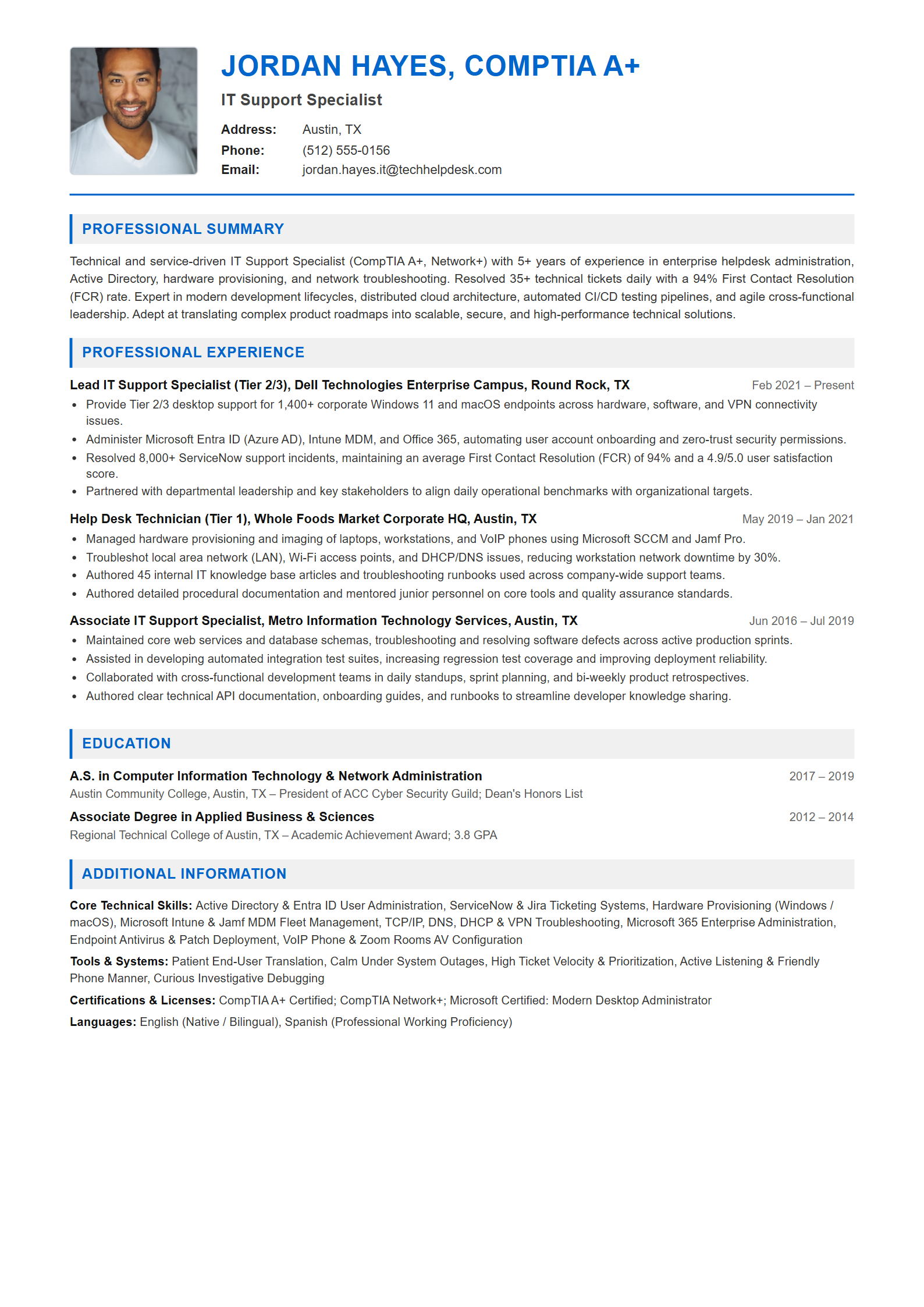
JORDAN HAYES, COMPTIA A+
IT Support Specialist
Address: Austin, TX
Phone: (512) 555-0156
Email: jordan.hayes.it@techhelpdesk.com

PROFESSIONAL SUMMARY
Technical and service-driven IT Support Specialist (CompTIA A+, Network+) with 5+ years of experience in enterprise helpdesk administration, Active Directory, hardware provisioning, and network troubleshooting. Resolved 35+ technical tickets daily with a 94% First Contact Resolution (FCR) rate. Expert in modern development lifecycles, distributed cloud architecture, automated CI/CD testing pipelines, and agile cross-functional leadership. Adept at translating complex product roadmaps into scalable, secure, and high-performance technical solutions.
Lead IT Support Specialist (Tier 2/3) | Dell Technologies Enterprise Campus, Round Rock, TX
Feb 2021 – Present
• Provide Tier 2/3 desktop support for 1,400+ corporate Windows 11 and macOS endpoints across hardware, software, and VPN connectivity issues.
• Administer Microsoft Entra ID (Azure AD), Intune MDM, and Office 365, automating user account onboarding and zero-trust security permissions.
• Resolved 8,000+ ServiceNow support incidents, maintaining an average First Contact Resolution (FCR) of 94% and a 4.9/5.0 user satisfaction score.
• Partnered with departmental leadership and key stakeholders to align daily operational benchmarks with organizational targets.

Help Desk Technician (Tier 1) | Whole Foods Market Corporate HQ, Austin, TX
May 2019 – Jan 2021
• Managed hardware provisioning and imaging of laptops, workstations, and VoIP phones using Microsoft SCCM and Jamf Pro.
• Troubleshot local area network (LAN), Wi-Fi access points, and DHCP/DNS issues, reducing workstation network downtime by 30%.
• Authored 45 internal IT knowledge base articles and troubleshooting runbooks used across company-wide support teams.
• Authored detailed procedural documentation and mentored junior personnel on core tools and quality assurance standards.

Associate IT Support Specialist | Metro Information Technology Services, Austin, TX
Jun 2016 – Jul 2019
• Maintained core web services and database schemas, troubleshooting and resolving software defects across active production sprints.
• Assisted in developing automated integration test suites, increasing regression test coverage and improving deployment reliability.
• Collaborated with cross-functional development teams in daily standups, sprint planning, and bi-weekly product retrospectives.
• Authored clear technical API documentation, onboarding guides, and runbooks to streamline developer knowledge sharing.
A.S. in Computer Information Technology & Network Administration
Austin Community College, Austin, TX | 2017 – 2019
Austin Community College, Austin, TX – President of ACC Cyber Security Guild; Dean's Honors List

Associate Degree in Applied Business & Sciences
Regional Technical College of Austin, TX | 2012 – 2014
Regional Technical College of Austin, TX – Academic Achievement Award; 3.8 GPA
Core Technical Skills: Active Directory & Entra ID User Administration, ServiceNow & Jira Ticketing Systems, Hardware Provisioning (Windows / macOS), Microsoft Intune & Jamf MDM Fleet Management, TCP/IP, DNS, DHCP & VPN Troubleshooting, Microsoft 365 Enterprise Administration, Endpoint Antivirus & Patch Deployment, VoIP Phone & Zoom Rooms AV Configuration
Tools & Systems: Patient End-User Translation, Calm Under System Outages, High Ticket Velocity & Prioritization, Active Listening & Friendly Phone Manner, Curious Investigative Debugging
Certifications & Licenses: CompTIA A+ Certified; CompTIA Network+; Microsoft Certified: Modern Desktop Administrator
Languages: English (Native / Bilingual), Spanish (Professional Working Proficiency)
Essential IT Support Specialist Keywords for 2026
Ensure your resume includes these core technical competencies and software systems to match recruiter search queries: